Paul / SchawnnDev
Hermio What I'm building

Point of sale for events, synchronised in real time.

Village fêtes, charity fairs and festivals run four, ten, twenty tills for a day or a weekend. Most still do it with cash boxes and tally sheets, and find out what they sold at 2 a.m. Hermio puts every till, every stock and every price on the same live state, and the books are closed before the hardware is packed.

01 — Demo

Four tills, one event

Both bars sell from the same beer stock. Click an item to sell it, or switch the price period: the change reaches every till at once, and the organiser's figures follow. Each beer brings its cup deposit with it, added by a rule rather than by the cashier.

Fête du village · samedi · 18:00
Période

Simulation in your browser with made-up data. The product interface is in French, like its users.

02 — How an event runs

Before, during, after

Organisers think in the order things happen, so the product is organised the same way.

Before the doors open

  • Set up the eventPoints of sale, each with its own items, price periods and payment methods.
  • Hand out accessRoles and fine-grained permissions; cashiers sign in with a code.
  • Sell tickets aheadOnline stock is the same stock the entrance till sells from on the day.

On the day

  • Sell from touch terminalsSales, refunds, cup deposits and returns, receipts printed automatically.
  • Everything stays in syncA sale, a restock or a price change reaches every device immediately.
  • Shorter queuesVisitors scan a QR code, build their basket on their phone and just pay at the counter.

Closing

  • Close the eventTotals per till, per item and per payment method, refunds included. Nothing to re-type.
  • ExportExcel or CSV of every order, ready for the treasurer or the annual general meeting.
03 — What it does

Everything a till, a bar manager and a treasurer need

Most of it came from watching events go wrong: the float that doesn't add up, the cups nobody counted, the price nobody changed at 10 p.m.

Selling

  • Touch till with item cards sized per station
  • Stock reserved while the basket is open, so the last item is never sold twice
  • Cash, card or custom methods (vouchers, cheques, cashless), enabled per till
  • Card terminal driven by the till: amount sent, result returned
  • Customer display, change calculation, order notes, cancellations

Deposits & refunds

  • Deposit added automatically to cups and bottles
  • Dedicated return till; issued vs. returned tracked
  • Full or partial refunds, card refunds through the terminal

Prices & stock

  • Prices and stock per time slot, gaps and overlaps detected
  • Every stock correction logged with its author
  • Sold out on every till in one click
  • Discounts as a percentage or fixed amount, on an order or an item, behind AND/OR conditions

Rules

  • "If… then…" triggers on add or remove: add an item, remove one, block, or warn the cashier
  • Conditions on value, item count or run count, grouped AND/OR
  • Cup deposit added on its own, 10th item free, age check before alcohol

Cash office

  • Opening float, note-and-coin counting, variance computed
  • Drops, transfers and change requests, approved by a supervisor
  • Money routed through the till or straight to the central cash office
  • Closing statement per till and for the cash office

Tills & teams

  • Till types (bar, food, merch), settings cascading event → type → till
  • Shift planning with gap detection and an event-wide calendar
  • About a hundred permissions, ready-made roles, PIN login for cashiers

Reporting

  • Live revenue, orders and average basket by till, cashier, period or item
  • Throughput per cashier and time per order
  • Accounting sheet, daily summary, Excel exports of every flow

Before opening

  • Guided setup that flags what is done, to watch or blocking
  • Automatic audit: missing price, overlapping rates, empty stock, till without a printer
  • Clone a whole event for next year's edition in seconds
04 — In the field

Shipped to real counters

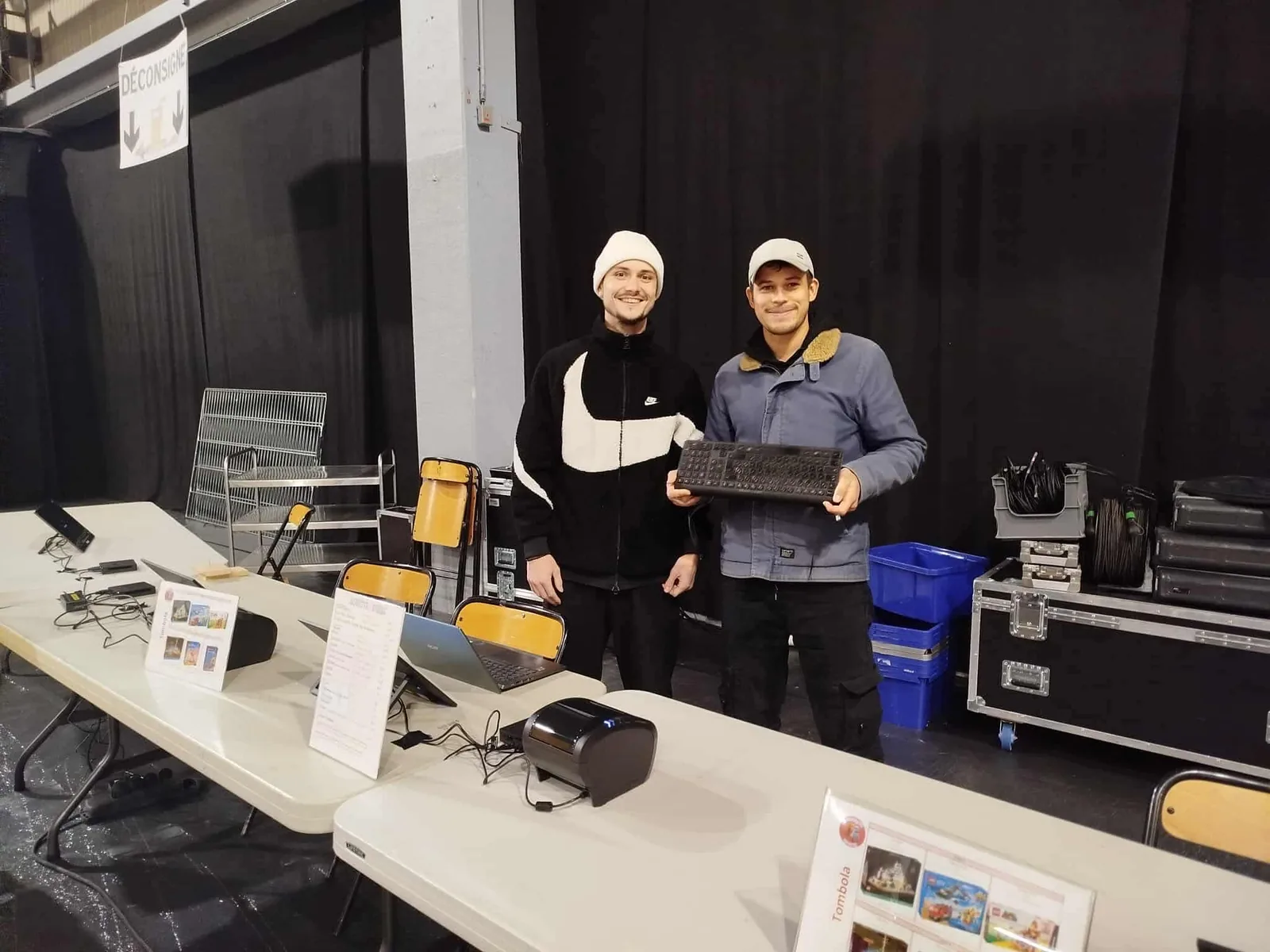
Hermio is not a mock-up: it is set up on site, on folding tables, a few hours before the public arrives.

Two people standing behind folding tables with tablets, laptops and a thermal receipt printer, setting up points of sale in an event hall
On site: setting up the points of sale a few hours before opening.
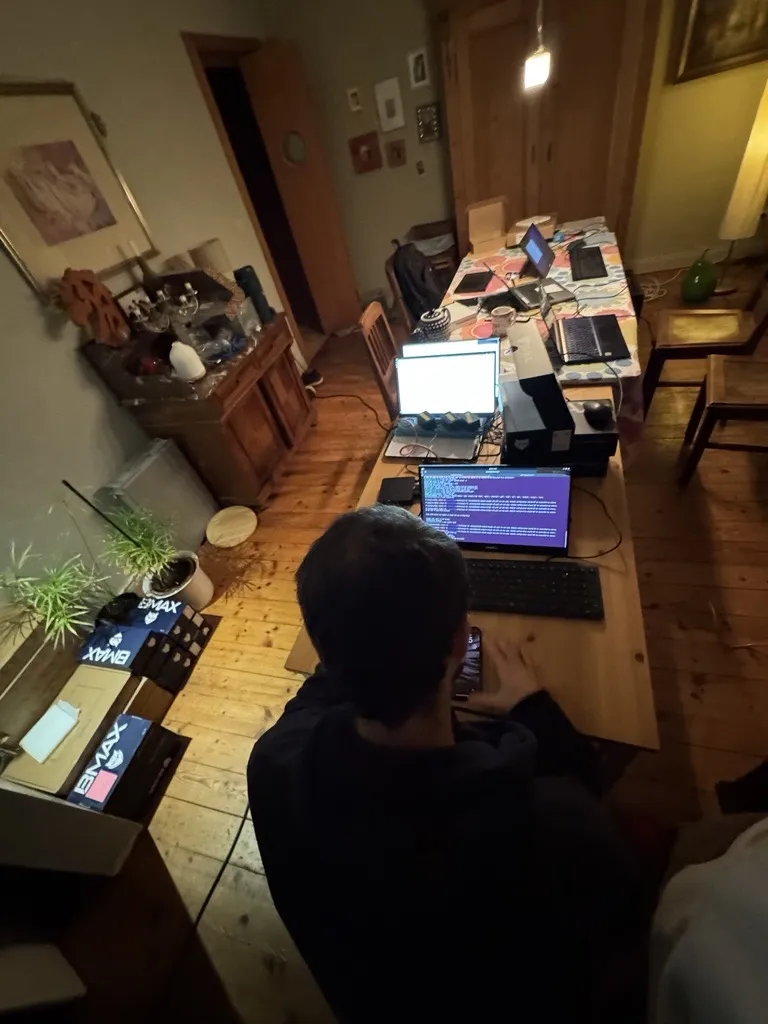
A developer seen from behind at a long table with several laptops, a receipt printer and boxed mini PCs, testing the full till setup
Before that: the whole setup tested end to end at home.

The constraints come from the field, not from a whiteboard: volunteers who have never seen the software, a sports hall with poor coverage, prices that change at 10 p.m., plastic cups that come back for a refund.

Each event is a service as much as software: we deliver the tablets and printers, configure the catalogue with the organiser, install before the event and take everything down afterwards. Payment terminals stay the organiser's own.

05 — Engineering

What's under the counter

A Go backend, an Angular front end, and most of the effort spent on the part that must never disagree with itself: the live state of an event.

One runtime per event
Each active event runs in a single-threaded loop that owns its state; tills talk to it over WebSockets. No locks to get wrong, no two tills selling the last item.
Printing through a bridge
ESC/POS thermal printers with logos and print profiles. A small local agent with its own revocable token and print queue reaches printers that are not on the server's network.
Payment terminals
Integration with the organiser's own card terminals over the Concert V3 protocol, so the amount is never typed twice.
Cloud or offline
A single Go binary with migrations on startup: PostgreSQL in the cloud, or SQLite on a venue LAN with no internet. A snapshot brings an offline event back into the central database without loss.
Load-tested with chaos
A harness drives N simulated cashiers over real WebSockets, fake terminals and printers, while a "chaos admin" changes stock live; stock and revenue are checked against the database at the end.
Watched on the day
Live status of every till, printer and bridge, a central error log, OpenTelemetry traces and structured logs. On event day there is no time to guess.
06 — Product & model

Where it stands

Organisers take what their event needs, and pay for an event, not a subscription.

ModuleWhat it doesStatus
On-site tills Synchronised touch points of sale: entrance, bars, food, merchandise, each with its own items, prices and payment methods. Available
QR pre-ordering Visitors build their basket from the queue on their phone; the till only takes the payment. Add-on to the tills. In development
Online ticketing Tickets sold ahead, sharing stock and data with the entrance tills on the day. In development

How it is priced

Every event gets a quote built from the modules taken, the number of active tills, the duration, the location and the options (on-call support during the event, night shifts, travel). Hardware, setup and teardown are part of it.

Who it is for

Two ends of the same market: volunteer-run associations, who fear a tool too heavy for them, and professional organisers, who fear one too light. Both need the same thing: something that holds at their scale.